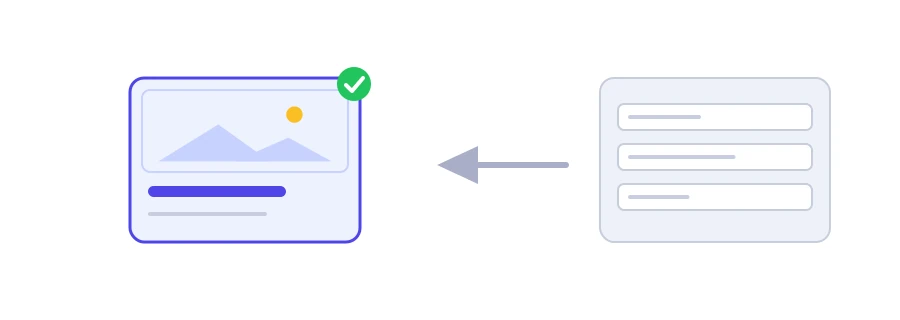
Why does your link show up without an image on WhatsApp?
You share your article's address on WhatsApp, Facebook or LinkedIn, and all that appears is a dull line with no image, or a small logo that has nothing to do with the topic. Apps build the preview card from the Open Graph tags in your page's head, and when they find none, they pick something themselves. Jood's Open Graph tag generator writes those tags so you stay in control of the title, description and image.
How to use it
Write the "Page Title", the only required field, and choose the "Type": website or article.
Add the "URL", "Description", "Site name" and "Image URL", then pick the "Language (locale)".
Click "Start Now", copy the code with "Copy Result" and paste it inside the page's head tag.
The tool warns you if the title runs past 70 characters, if the description runs past 200, or if you forgot the image or the canonical URL.
The image is half of a good share
The recommended size is 1200 by 630 pixels, which displays well in most apps.
Give the image's full address starting with https://, not a path like /img/photo.jpg.
Pick a light image that stays readable when small, without much text on it.
Give each page its own image: the article's picture beats the site logo everywhere.
Make sure the image is publicly reachable: if it sits behind a login or access to it is blocked, apps will not be able to show it.
Changed the tags but the preview stays the same?
Facebook, LinkedIn and WhatsApp keep the preview after the first share. On Facebook, open the Sharing Debugger and ask it to fetch the page again; on LinkedIn, use Post Inspector. WhatsApp has no such tool, but adding something to the end of the address, such as ?v=2, makes it fetch the preview again.
Note: the "Language (locale)" list offers Arabic, Moroccan Arabic, English, French, Spanish (es_ES) and Turkish (tr_TR). For any other language, edit the og:locale value in the code by hand.
نحو 1200×630 بكسل بنسبة 1.91:1، فتظهر كاملة في أغلب المنصات.
التطبيقات تخزن المعاينة مؤقتاً. حدّثها عبر tools تصحيح المشاركة of فيسبوك.
اختر «Article» لصفحات Blog والأخبار، و«Website» للصفحة Home وصفحات الخدمات.
We use cookies to measure traffic and improve the site (Google Analytics), and may show ads later. Nothing is enabled without your consent. Privacy policy