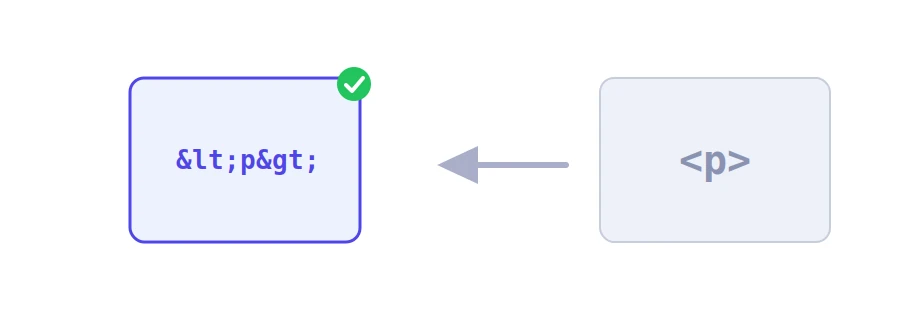
You write a tutorial explaining a tag like <div>, publish it, and the tag is nowhere to be seen on the page. The browser did not display it because it took it for a real tag in the page. The fix is to write special characters in a form the browser reads as text to show. That form is called HTML entities, and Jood's HTML entities encoder converts your text in a second.
How to use it
Paste the text or code into the "Input Data" box, up to 2 MB.
Click "Start Now".
Copy the output with "Copy Result" and paste it into your page.
What changes and what stays
Angle brackets: < becomes < and > becomes >.
The ampersand & becomes &.
The double quote becomes " and the apostrophe becomes '.
Arabic letters and emoji stay as they are. They need no encoding in a UTF-8 page, which is what nearly every modern site uses.
Where it helps
Showing code examples in an article, a lesson or a forum post without the browser interpreting them.
Putting text inside an HTML attribute such as title or alt, when it contains quotes that would end the attribute too early.
Email templates and static pages where you paste text from another source and want it to appear exactly as written.
Three common mistakes
Encoding twice: if the text is already encoded, & turns into &amp; and the entity itself shows on the page instead of the character. Only encode raw text.
Using the output in XML: XML only knows five basic entities, so names like é make an XML or RSS file invalid. This tool is meant for HTML pages.
Relying on it to secure a site: if you build a site that displays what visitors type, the encoding has to happen in your code every time the text is shown, for example with htmlspecialchars in PHP, not by hand.
We use cookies to measure traffic and improve the site (Google Analytics), and may show ads later. Nothing is enabled without your consent. Privacy policy