You copy text from a page's source, an export file or an API response, and it is littered with ", ' and é. These are HTML entities, a way of writing special characters so the browser does not mistake them for code. On the page they display normally, but once copied somewhere else they stay as they are. Jood's HTML entities decoder turns them back into real characters.
How to use it
Paste the text into the "Input Data" box, up to 2 MB.
Click "Start Now".
Copy the readable text with "Copy Result".
What the tool understands
Named entities: <, >, &, ", and every HTML5 name, such as …, which becomes "…".
Decimal numeric entities, such as ’, which becomes a curly apostrophe and turns up a lot in text copied from WordPress sites.
Hexadecimal entities, such as é, which becomes é.
Arabic or accented letters written as numbers
Some forms and older systems store characters as numbers. An Arabic word can arrive as مرحبا, and a name like "Zoë" as Zoë. Paste the string into the tool and you get the word straight back. This comes in handy when you pull data out of an old database or an export that does not handle UTF-8.
Good to know
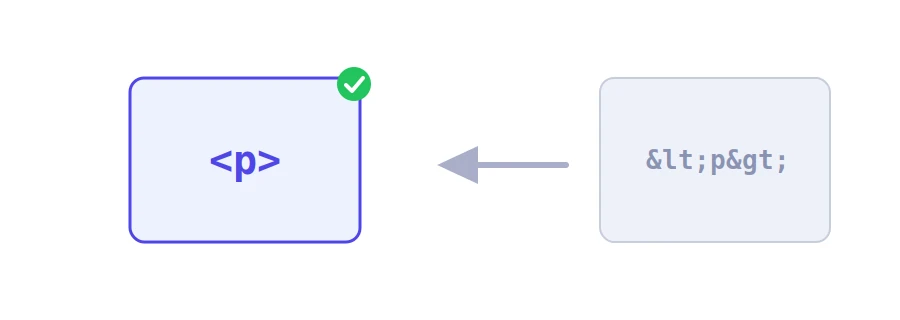
One layer at a time: the tool decodes a single level. If the text was encoded twice, &lt; becomes <, not <. Just run the result through again.
Non-breaking spaces: becomes a space that looks normal but is a different character. If find and replace is not working on your text, this may be why.
Nothing runs: if the text contains code, such as a script tag, you simply see it as text in the result box.
For the reverse, use the HTML entities encoder. And if what you have is a web address full of % signs, that is URL encoding, not HTML entities, so use the URL slug generator and encoder instead. Your text is sent to Jood's server, converted, and not stored.
We use cookies to measure traffic and improve the site (Google Analytics), and may show ads later. Nothing is enabled without your consent. Privacy policy