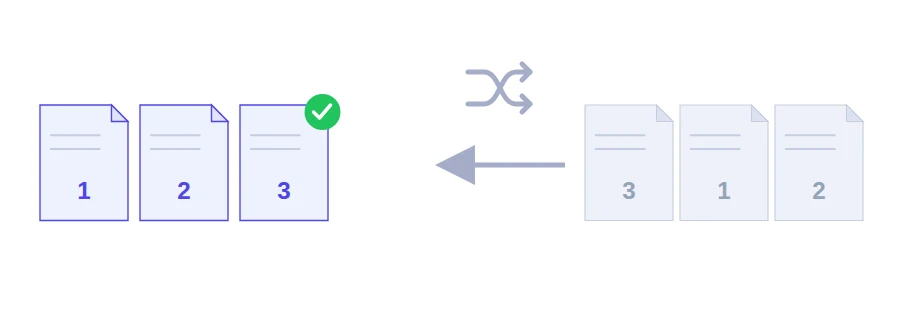
Fronts first, backs last: your scan came out shuffled
Your scanner can't do both sides at once, so you feed the stack through for the fronts and again for the backs. The result is a PDF with every front page first and every back page at the end. Or a report put together from several colleagues' sections, where part three comes before part one. No page is missing, they are just in the wrong place.
This Jood tool puts each page back where it belongs: you type the new order as page numbers and download the file in that order.
Type the order you want to read in
Choose your PDF.
In the field, type the page numbers in their new order, separated by commas. For example, 3, 2, 1, 4 puts page 3 first, page 1 third, and leaves page 4 where it is.
Click the button to reorder and save the PDF.
One important habit: write the number of every page you want in the new file, not only the ones that move. Before you click, count your numbers. If you want to keep the whole document, there should be as many numbers as pages.
Three common cases, written out
Shuffled double-sided scan: a 6-page file with fronts on pages 1, 2, 3 and backs on 4, 5, 6. The right order is 1, 4, 2, 5, 3, 6.
Pages in reverse order: type the numbers in descending order, for example 5, 4, 3, 2, 1 for a five-page file.
Summary stuck at the end: an 8-page report where you want the summary on page 8 to come first: 8, 1, 2, 3, 4, 5, 6, 7.
Page order is not file order
This tool works inside a single PDF. To combine several files in a set sequence, use the merge tool, then fine-tune the page order here. And if you spot pages you don't need while reordering, drop them with the remove pages tool, or keep just a selection in a separate file with the extract pages tool.
Reordered in your browser
The file is not uploaded anywhere: reading it, rearranging the pages and saving the result all happen on your device. You can use it for personal or official documents without a copy being left with anyone.
FAQ
Yes. Enter the page numbers in descending order and the document will be rebuilt from back to front.
We use cookies to measure traffic and improve the site (Google Analytics), and may show ads later. Nothing is enabled without your consent. Privacy policy